Screen Space Ambient Occlusion
Screen Space Ambient Occlusion
Screen Space Ambient Occlusion, often shortened to SSAO, is a post process technique used to approximate the ambient occlusion in a 3D-scene to achieve a more realistic result. This is done by using the scene’s normal vectors and written depth seen from the camera.
SSAO piqued my interest when I was reading about different techniques to improve the visual aspects of my group’s games as it seemed like a fun and interesting project to take on.
So how is it done?
Since the goal of SSAO is to determine whether a pixel is occluded by other geometry and 3D-models have no way of knowing about other models in the scene, the depth is used to calculate this.
When determining the ambient occlusion of a pixel I used precalculated randomized positions in a hemispherical formation facing away from the pixels normal vector. This makes sure that the randomized positions, called sample positions, are facing away from the pixels normal. In the pixel shader I then iterated over every sample position to measure whether the pixel corresponding to the sample positions depth from the camera was greater than the written depth of the same pixel. If it is, the sample is occluded! When every sample has been measured, I returned the average occlusion value.
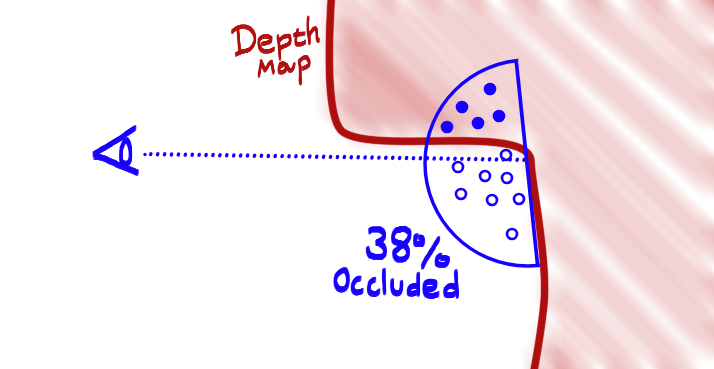
An illustration of how a few random positions inside of a hemisphere can be used to calculate the occlusion of a point.
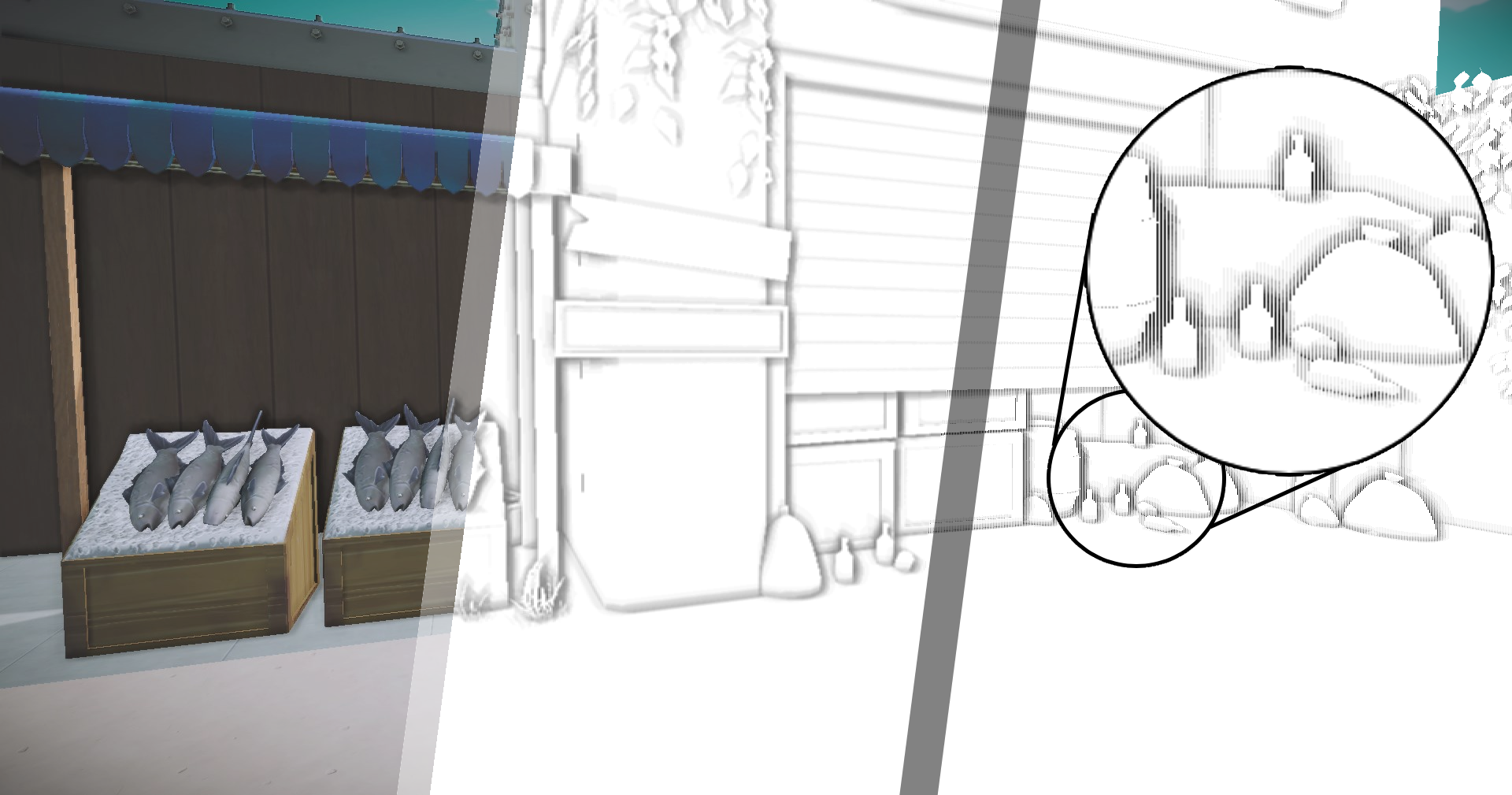
The result is a rather noisy looking SSAO texture. This is caused by the random vectors used to create the TBN matrix that is created to move the sample position in the hemisphere to the pixels world space position. To fix the noise pattern I used a pixel shader to blur the texture into the result below.
for (int i = 0; i < SSAONumOfSamples; i++)
    {
        float3 samplePos = mul(SSAOSamples[i].xyz, TBN);

        samplePos = worldPos.xyz + samplePos * rad;

        const float4 offset = mul(worldToClipSpaceMatrix, float4(samplePos, 1.0f));

        const float3 sampledProjectedPos = offset.xyz / offset.w;

        const float2 sampleUV = 0.5f + float2(0.5f, -0.5f) * sampledProjectedPos.xy;

        const float sampleDepth = depthTex.Sample(SSAOSampler, sampleUV.xy).r;

        const float3 sampledWP = worldPositionTex.Sample(SSAOSampler, sampleUV.xy).xyz;

        const float pixelDist = length(worldPos.xyz - sampledWP);

        const float rangeCheck = smoothstep(0.0f, 1.0f, rad / pixelDist);

        occlusion += (sampleDepth < sampledProjectedPos.z - bias ? 1.0f : 0.0f) * rangeCheck;
    }
    occlusion = 1.0f - (occlusion / SSAONumOfSamples);

    output.aoTexture = float4(occlusion, occlusion, occlusion, 1);

    return output;
Part of the pixel shader, all code can be found here
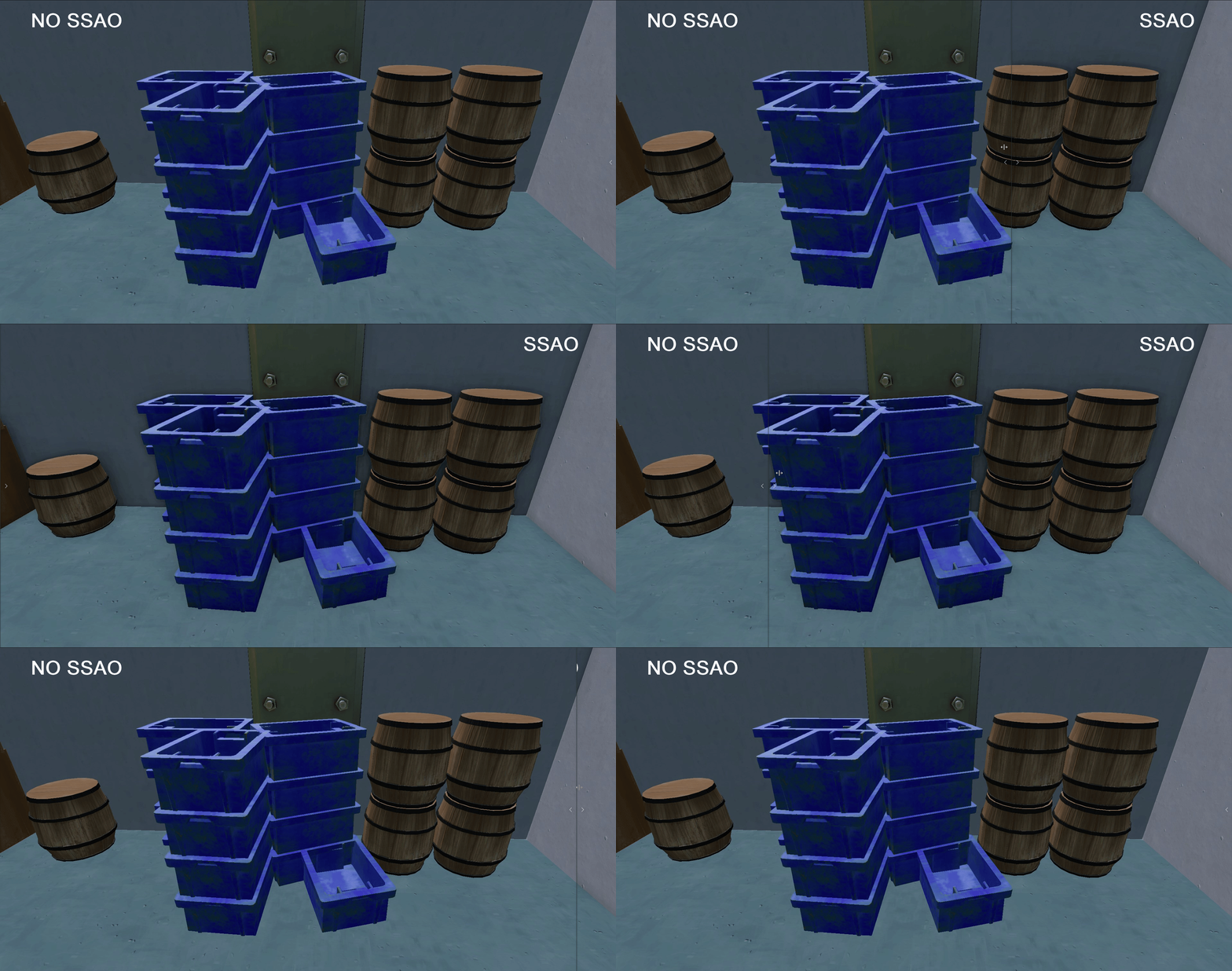
The Final Result:
The final image is later used to calculate the ambient lighting of the scene together with the ambient occlusion texture generated by our artists. The result increases the realism of the image by adding a relationship between each object in the scene. Overall I am very pleased with the result.
Whats next?
At the moment my implementation is quite expensive performance-wise. At full HD resolution it takes roughly ~16.5 ms with 16 samples per pixel at full HD in debug which is unacceptable. To make this a bit cheaper I would like to move from a pixel shader to a compute shader to see if it increases performance. Another optimization would be to run the sample shader on a smaller resolution and then to upscale it to fit the screen.